




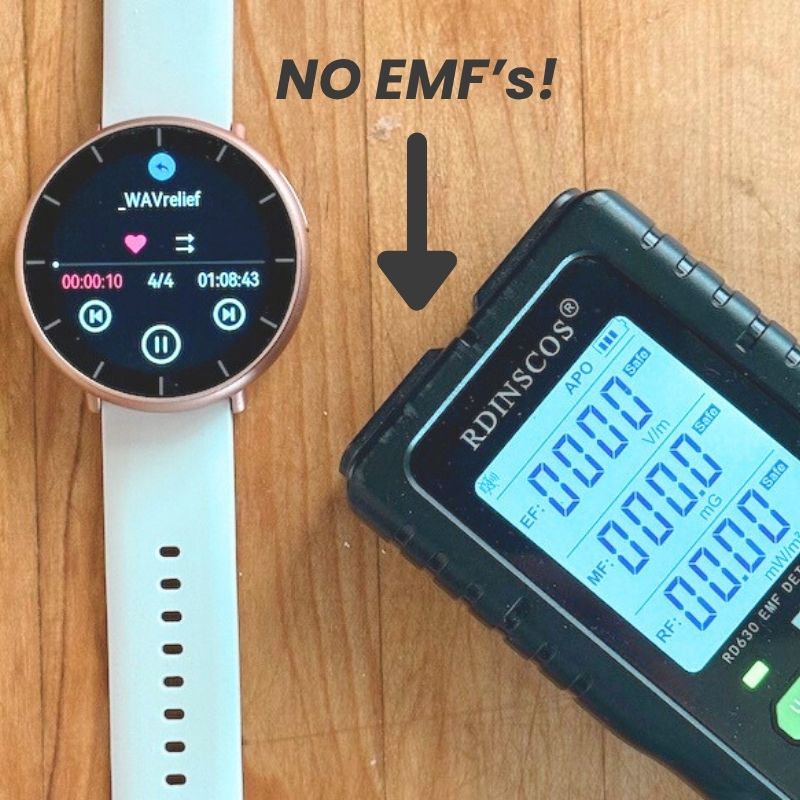


WAVwatch 2.0 Refurbished
Wearable sound frequency therapy to boost your body's natural healing.
Limited Quantities available!
Unlock Natural Wellness — Anytime, Anywhere.
✓ Fast-acting wellness support
✓ Easy-to-use wearable design
✓ Water-resistant and lightweight
✓ Up to 18-hour battery life
About Refurbished Units
Refurbished WAVwatch 2.0 devices are fully functional units that may be nearly new, gently used, or cosmetically imperfect. Each device is inspected, tested, and certified by our team.
Refurb units may include:
-
Minor scuffs, scratches, or dings
-
Slightly off-center screens
-
Charging contacts may require extra cleaning
-
Slightly reduced water resistance compared to new units
- Time and Date inaccuracies
Warranty & Important Details
-
Includes a 90-day Manufacturer’s Warranty
-
May have been returned within the 30-day trial period
-
Fully quality-checked and in complete working condition
-
All sales are final
-
Accidental damage warranty not available for refurbished units






“Every single cell in our body vibrates with different frequencies. And those frequencies dictate the health of those cells. I use WAVwatch to play anxiety, stress, calming, relaxation. I want to keep myself calm, non-reactive as I'm researching.”
- Dr. Bryan Ardis

Why Use the WAVwatch
Sound Therapy uses acoustical frequencies that run through your body. This method for improving your immune system has been used for centuries and is extremely safe and scientifically researched. Thousands of parents, grandparents, and kids use the WAVwatch!

- EFEmil F.Verified ReviewerReviewingWAVwatch 2.2I recommend this productWhat is Your Wellness Goal? Aches and Pains, Relaxation, Mental Clarity, Better Sleep, OtherHow old are you? Over 65Bought For MyselfRated 5 out of 5 starsYesterdayMy everyday life routine!
I bought my wav watch 6 years ago in November on a special where the doc Linda called in for $425.00 it had 850.00 frequencies, I had bad asthma,allergies galore a history of always being stuffy or sick. I now have my third watch it has 1000.00 frequencies and I use it throughout the day. Cured 5 pneumonia over the years usually one day or less, this is a life saver.
- JBronzeJoeVerified BuyerReviewingWAVwatch 2.2 Rose Gold 2.2I recommend this productWhat is Your Wellness Goal? Aches and PainsHow old are you? 45-54Bought For MyselfRated 5 out of 5 starsYesterdayWhat can’t it do?
I bought a watch based on a recommendation from a podcaster that I listen to. I wanted to see if it would help my lower back pain. Not only did it help my lower back but it also took away the arthritis pain in my elbow and is currently working on lowering my blood pressure. My wife has also had success getting rid of headaches that would normally last days.
- LTBronzeLaurel T.Verified BuyerReviewingWAVwatch 2.2I recommend this productWhat is Your Wellness Goal? Better Sleep, Mental Clarity, Aches and PainsHow old are you? Over 65Bought For MyselfRated 5 out of 5 stars6 days agoGood investment
Am very satisfied with this frequency watch.
Getting to sleep is better. Staying asleep longer.
Digestion is getting better. Eyesight is clearing.
So many things are improving.
Am definitely going to keep wearing.
The people are great to work with. Always ready to help.
- JJeanneReviewingWAVwatch 2.2 Graphite 2.2I recommend this productRated 5 out of 5 stars1 week ago5 Stars
I just received this and am excited to see the results!!
- MGMichelle G.Verified BuyerReviewingWAVwatch 2.2 Graphite 2.2I recommend this productWhat is Your Wellness Goal? Aches and PainsHow old are you? Over 65Bought For MyselfRated 5 out of 5 stars1 week agoA True Miracle
I injured my shoulder doing yard work the end of June 2026. No problem, I'll take a week off and it'll heal, right? Two weeks later, with no aggravation, it was worse. I went to a massage therapist and had a lot of tension knots all over back and shoulder. After four weekly visits it was much better, but I still had pain and irritation if I tried to do anything. I saw a podcast with an interview on the WAV Watch. I remember seeing it a few years earlier and decided to get one. The podcaster had talked about pain relief within the hour. It did nothing, so I left it on longer and not sure what setting I really needed tried several. The pain wasn't gone but when I woke up it wasn't stiff and painful, a BIG improvement. Next I found the WAVrelief setting and tried it on overnight. A vast improvement! By the third day I was pain free with full mobility and back to doing physical work in the garden and stacking firewood. I'm 71. After ten weeks of pain and limited mobility I was finally healed! Don't give up if it doesn't work at first, try different settings til you find the right one.
WAVWATCH 2.0 REFURB SPECS
How is a refurbished WAVwatch different?
Refurbished WAVwatch 2.0 units are gently used or slightly imperfect devices from our regular inventory. They may have been returned within our 30-day return window or show small cosmetic imperfections such as minor scuffs, light scratches, tiny dings, or a slightly off-center screen. Some units may also show lighter water-resistance compared to a brand-new WAVwatch. Despite these cosmetic differences, every refurbished unit has been fully inspected, cleaned, and tested by our WAVwatch team to ensure complete working functionality.
What’s covered under the 90 Day warranty?
Refurbished WAVwatch 2.0 units come with a 90-day Manufacturer’s Warranty, which covers:
- Internal hardware issues
- Device malfunctions
- Battery or charging defects
- Screen or software performance issues (not caused by accidental damage)
Please note:
- All sales are final for refurbished units.
- Accidental damage warranty cannot be purchased for refurbished models.
Cosmetic imperfections are not covered under warranty.
Are refurbished units tested?
Yes! Every refurbished WAVwatch 2.0 goes through a full quality-inspection process performed by our staff. Each device is checked for:
- Proper device startup and operation
- Correct frequency playback
- Screen responsiveness
- Battery performance
- Charging behavior
- Button function and overall usability
Only units that pass our functionality tests are approved for resale.
What's Included?
- WAVwatch 2.0 (Rose Gold or Graphite)
- Black carrying case for protection on the go
- Two wristbands: A silicone buckle strap and a nylon Velcro strap for comfort and flexibility
- Magnetic charging cord for easy recharging
- 1x Screen Protector for added durability
- USBA to USBC adapter for versatile charging options
- Reference guide to help navigate Frequency Sets
⚡ Charging block not included—any standard charging block, including WAVwatch 1.0 chargers or smart chargers, will work!
How To Use WAVwatch
- Power: Turn your WAVwatch on or off with a long press of the power button. You can put your watch to sleep or wake it up with a quick press of the power button.
- Select frequency set: Scroll through the Categories and then select your desired Frequency Set. Start with FirstWAV, which contains a comprehensive set of self-care ideas.
- Play frequency set: The selected frequency set will begin playing automatically. From the watch screen, tap on the bottom half of the screen to see currently playing frequency set.
- Adjust volume: Swipe right to left then adjust the slider. We recommend a volum of 1-3. You do not have to hear it for the watch to work.
- Add to favorites: Tap on the heart icon and choose playlist 1-6. You can add to multiple playlists for ease of use.
- Select Repeat: Choose from the two options to play the complete list or repeat the selected frequency set.
Charging
Attach charger to USB port for 2-3 hours until fully charged. Use included adapter for USB-C port if needed. We recommend a smart charger. The original WAVwatch 1.0 charging block may take much longer to charge.
If you are having difficulties charging your WAVwatch, you may need to clean the contacts on the back of the watch with a small amount of alcohol and a clean cloth.